Welcome to WordPress. This is your first post. Edit or delete it, then start writing!
Category: Uncategorized
-
Canadian Shipments to the EU Are Annoyingly Slow
I think the EU-based logistics, deliveries has pampered us to a point where more than 2 days delivery schedule feels like forever. I recently started motovlogging, and I noticed that the chest mount is not an amazing POV for the motovlogs. So, I decided to purchase a mount for my helmet that would give the better POVs, and would move with my head.
Now, I am not taking any names of the brands in this post as I do not want to make this blog seem like I am trying to bad word the brand itself. The post is a rant about the poor logistics from Canada to EU. Previously, I ordered a mobile case, and when you order a screen protector they send you two, but the delivery takes double the time as well. The problem now is not the brand, but the delivery. The problem back then was not the brand but the delivery providers. The logistics partners are really slowing the interaction here.
The order
This is my second time that I have ordered something from a Canadian business and it has been more than a week and I have no idea where the shipment is.
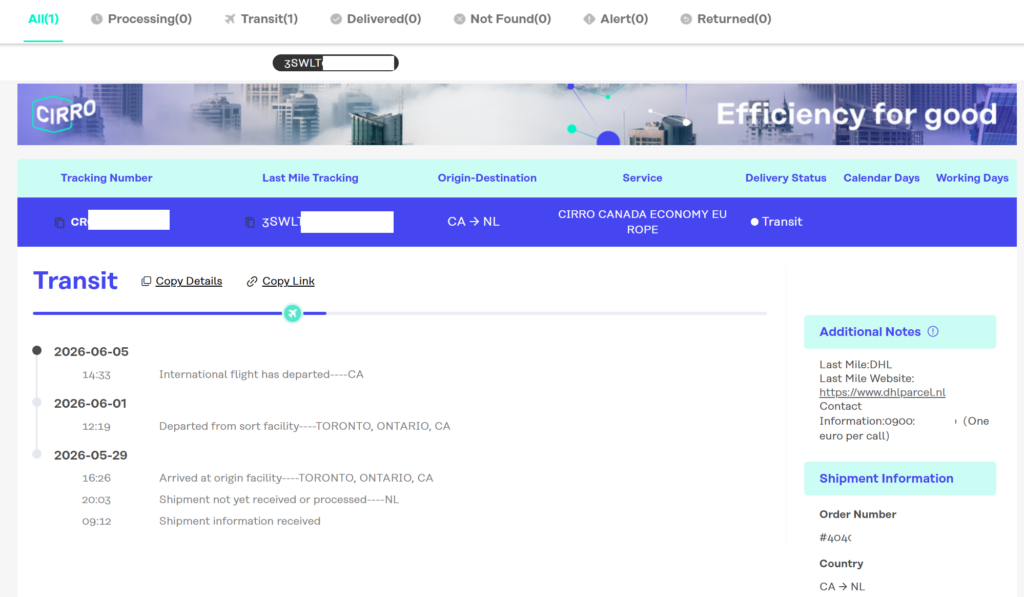
This order was placed on 29th May, and it departed their facility on 1st June. It took 4 more days for the flight to depart and now it has been 5 days that the next status was not shared. I am still waiting, whether the flight landed, or whether my parcel arrived.
At this point, I think it would have been faster if I had just booked a flight and went to pick up the order–but then again, I do not know how fast the postal services are in Canada. :shrug:
And now, I am just waiting for the mounts to arrive so I can capture some of the summer moments with the right POV and upload to my YouTube.
-
Launching iSha: Private Baby Tracker and Logs app
iSha: Pronounced as Aisha.
My daughter, Aisha, was born in 2022. As a new parent, I was very cautious over everything and I wanted to get an overview of what was happening, was I a good parent, were we being supportive for our 2 day old baby? I had a concern regarding Aisha’s health in the first week and I took a photo of Aisha. The photo was purposefully taken just to show the doctors whether my concerns were real or not, and what to do.
2 days later I was surfing my Photos app and I saw Aisha’s photo there. I would not have wanted this picture to make its way in such an environment, be cloud synced, or be leaked. It was at that day that I decided that I would make an application that would allow parents to track and share the data of their children in a controlled manner. And there is nothing as controlled as the one that does not interact with a server. Humans make mistakes, machines make worse mistakes. The app could potentially leak the data to a server, whether by human mistake or intention. The server could log the data, or someone else could get access to it. It is best to avoid this in the first place and make a conscious choice to only export the data that you require. Thus, effectively making an enclave for the data for your babies.
That idea turned into an app for parents, and today I happy to share that the application is ready to download and use.
The app
I started working on the app back in September 2022, and with the little time I could find to work, I would add one or two features that would mainly create the structure for the database to store the information but ensure that the data would be stored privately.
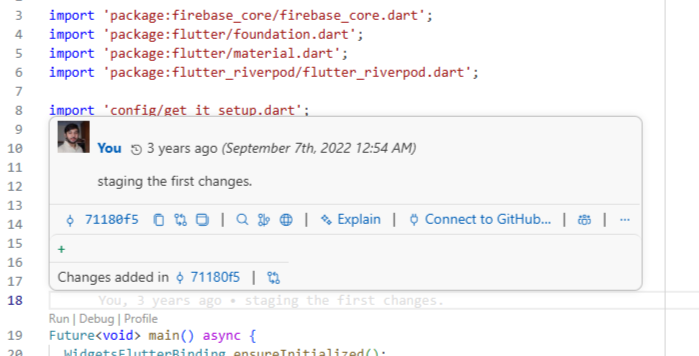
The project started on 7 Septembre 2022, and it took me about 3 years to publish the first version to Play Store. The objective of the application is very simple.
- Offer the parents with a simple to use application where they can log the data for their baby’s growth.
- Follow a guided, reminding flow for their babies. Where they can create reminders for their babies.
- The application must be private. The features must be modern and up to date.
- Offer data import/export services to allow parents to share the data that they would like to share with others.
The application is developed using Flutter, and offer services without creating an account. You will not need to create an account since there is no need to sync the data. As part of the roadmap, I am working on adding support to share the data from one device to another, one partner to another, and perhaps (if needed by the users) to share data with nannies and caretakers. However, since we will not support servers, the technical opportunities would need to be explored and decided on.
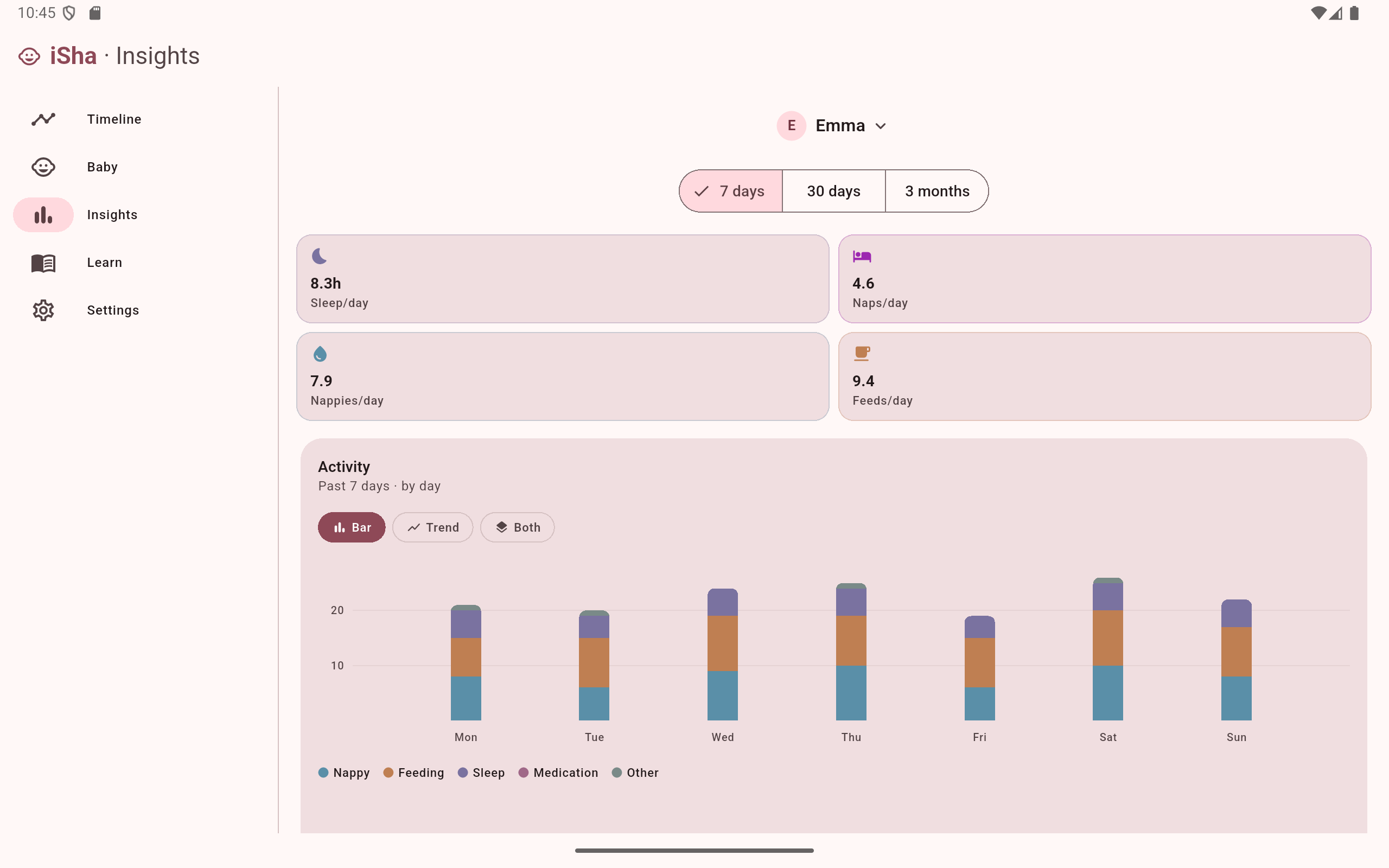
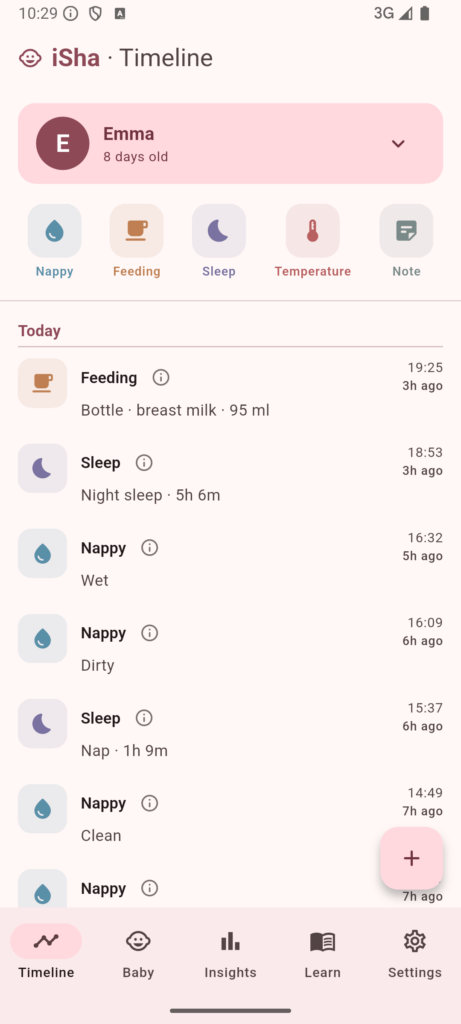
In the meantime, the app is ready for users. Here is a gallery that shows the application interface and features.
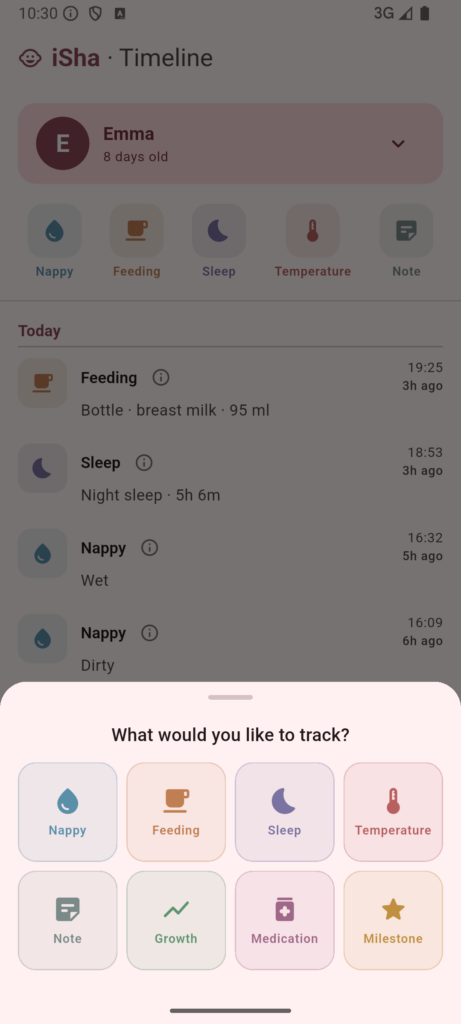
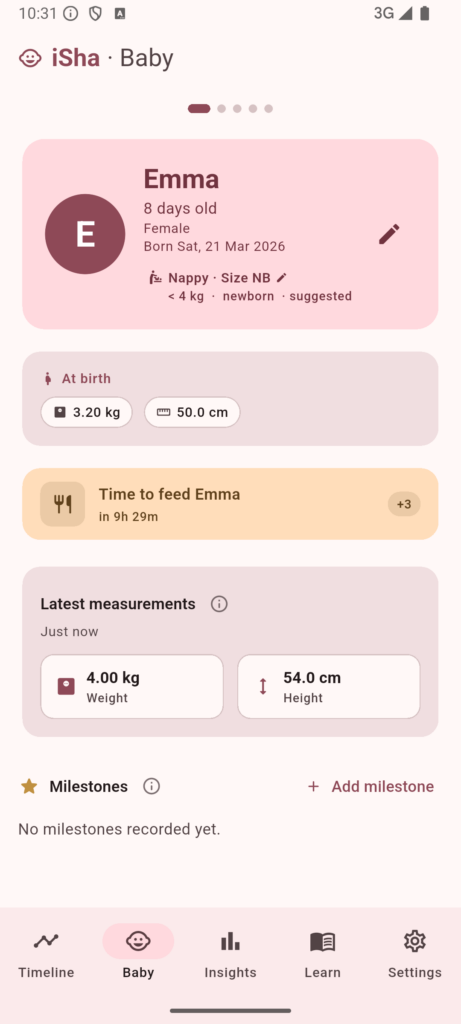
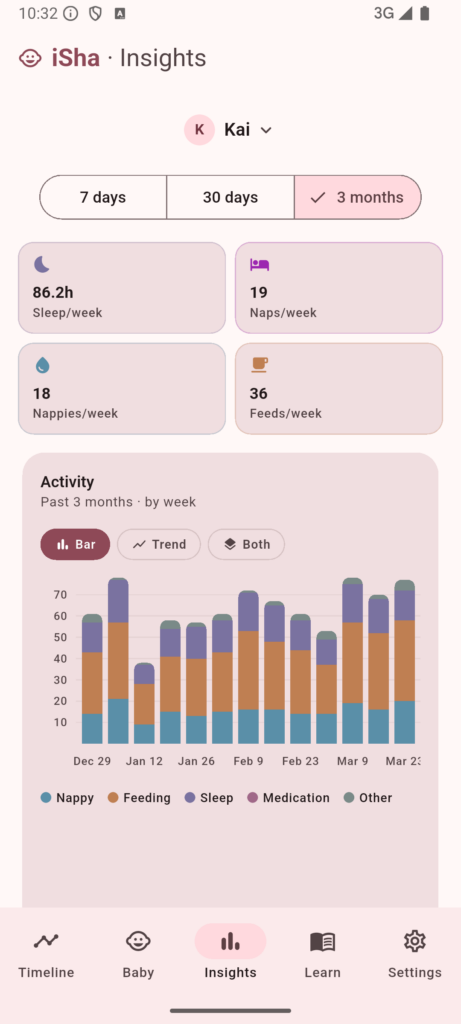
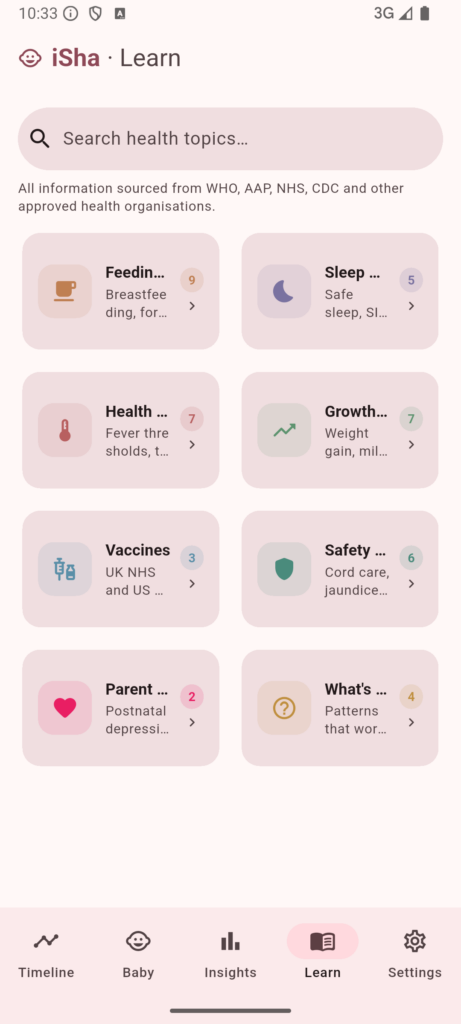
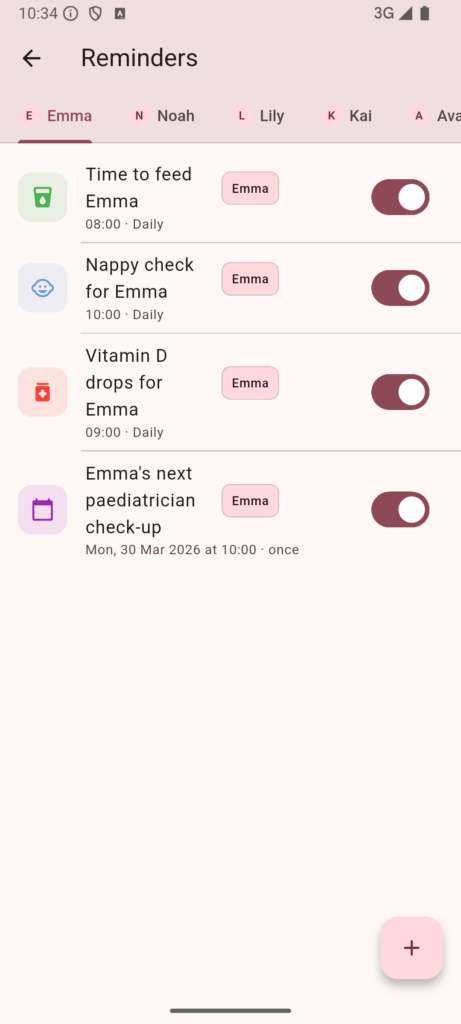
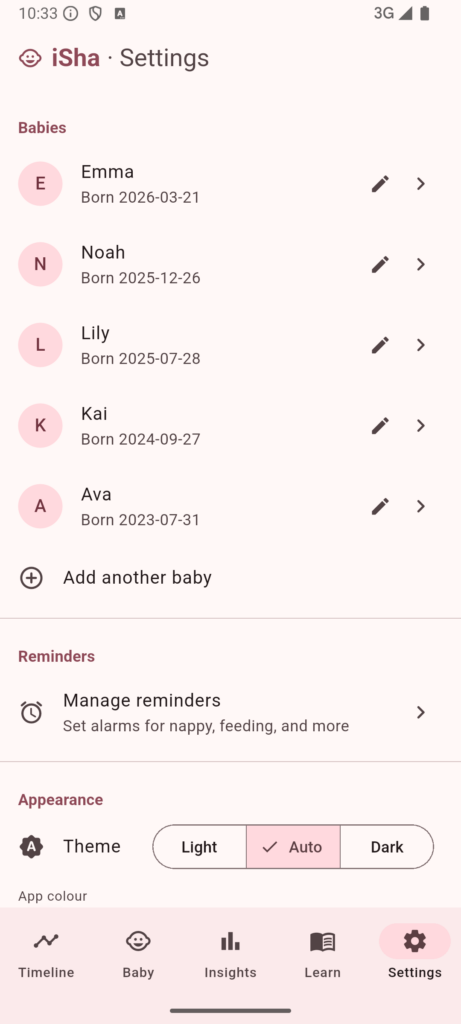
The application is also designed to support bigger screens (tablets for now).
Where to download?
You can download the app from the Play Store and the App Store. The application is available on Android and iOS platforms. It is a free application, of course, and is privacy-first by default.
The application is available on Play Store and App Store.
Please consider giving it a go, and share any feedback you may have. Any feedback, suggestions, questions, or concerns are welcome.
As is shared, the app is created by a parent for the parents and the objective is never to use the data of your babies for any purposes. Your children deserve the privacy, and the app will commit to delivering it.
-
The Vertical of AI-Driven Tech Stacks
Where do the AI-platforms exist in the stack vertical of an application?
Historically, we refer to our tech stack and base its sorting on how much a particular runtime/framework is going to be customer-facing vs internal. For example,
- A mobile application that allows users to save the links to read later and also share with others in their contacts.
- For such an application, you would automatically sort the frameworks by the mobile app, then any middleware or a mobile-backend.
- If you write your own backend and business logic, then you would add that as well.
- A web application that allows users to track their monthly grocery expenses.
- The framework by default gets priority; .NET, Spring, or some other web application development framework.
- Even though you do build an interface for the customers to use, you put it secondary, because your business is around the API and not the way that this list is communicated to the customers.
- A B2B API gateway that allows one company to manage fulfillment services for another company.
- You would put multiple frameworks as a priority and a must have.
- You would avoid onboarding an engineering that does not have the big picture in their mind.
Imagine these three organizations; technically, they all have a backend, a “frontend” and a data storage. The infrastructure would have firewalls for security, load balancers for optimization, and what not. But, it doesn’t take away the fact that each of these services has a server that processes the business logic, an interface for the customers and clients to access the services, and a central storage where everything is kept for the time it is needed to be kept.
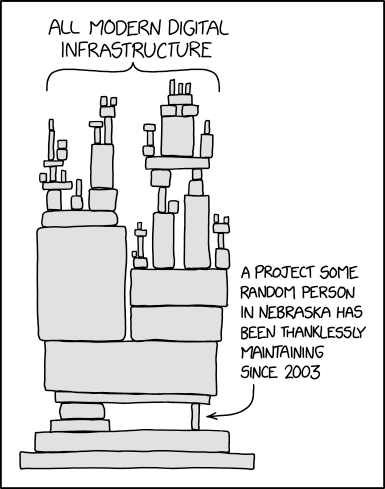
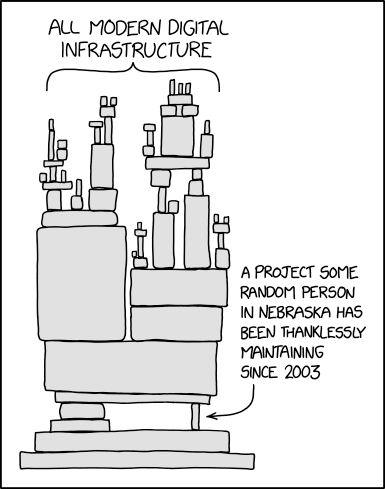
The famous dependency diagram of the frameworks and how our infrastructure stands. Tech Stack Communication
Nobody writes IIS, or Apache, or other server components in their tech stack. Why? Is there not a “production-ready” server that must be communicated to the customers? I can understand hiding the version-specific information in some cases to prevent bad actors from misusing, but it’s well known that most Microsoft-based web applications are hosted on IIS and others on Apache (PHP, Java, etc.). So why is it that the most crucial piece is left out?
The important point to remember and consider is that it is not the Apache server that the engineers and developers are going to program and write the business logic on. It is infact the underlying server-side code framework that they will need to program. ASP.NET, Spring, Express (or even Node.js in some cases) is the actual layer that your developers will most concern with. That is why, it is important that you have someone who is an expert in ASP.NET or Spring, and not someone who is great at IIS or Apache Tomcat.
The top reason that comes to mind for the tech stack communication is:
- To make it easier and simpler for the next engineers to onboard and expect the tech culture of a project or a team.
- It is entirely true and possible that two teams in the same organization have different cadence for release, a different culture for git-blame, a special way of writing and accepting the changes.
- To make it clear and reasonable why certain development tooling choices were made and how they contribute to the overall ecosystem of the technical products.
When you share the tech stack, you are also exposing your own preferences as to what you believe is important and what is less important. When you say that your application uses:
- Flutter, TypeScript, Firebase, Git
You are explicitly making it clear to any reader that you are not going to compromise on Flutter for app development, TypeScript for backend development, Firebase for mobile-backend (database, authentication, analytics, etc.) and Git as a version control system. For everything else you are open. For example, in a mobile application we would need to use a state management system. In Flutter, we can use either the native state management support or use provider and other complex state management systems. Flutter does not force us, and by keeping this hidden, you are indicating that this is up for a debate. If someone has a better idea and approach to managing state across application UIs, then that’s up for a discussion.
Now that picture starts to look a little focused and communicated.
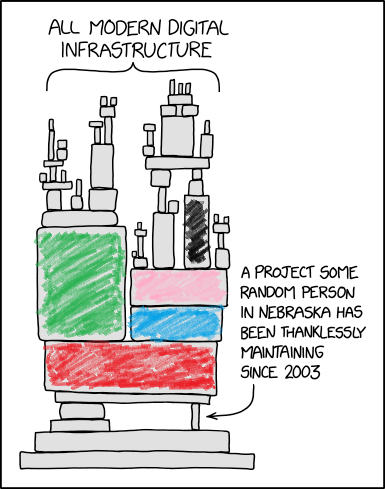
The dependency graph is colored to denote how focus is given on the core frameworks, and everything else is just drawn upon it. Each colored section represents a focus point in terms of tech stack. You are able to put blue and green blocks because the red block supports that. And the pink block is supported by the blue block and so on and so forth. In order to swap the pink block, you would need to ensure the jigsaw puzzle is solved between the blue block and the next colored block (orange, for example). And that would also have an impact on the blocks above and so on.
AI-Driven Tech Stacks
All of sudden, as vibe coding platforms emerge, we see a plethora of SaaS and job opportunities all listing these frameworks at the center, right, and left. We see the mention of Replit, Codex, Lovable, etc. as the primary tech stack and then other languages and frameworks emerge. The main reason behind this is that now the primary investment was made to support the development around these vibe platforms.
Is “vibing” a framework, a platform, or something else?
Now, the whole scenario of a project being built with .NET framework, or Next, or MEAN stack app is that you want to communicate the most important aspects of a project. In a .NET application, the most important component is definitely the .NET stack, and you need to have the audience understand that they need to be hands-on with .NET framework and understand different dependencies, lifecycle events, and more. For a MEAN app, you need the developer to be hands on with all–database, UI, and the backend API layer.
With that, I believe the reason the “vibe platform” is communicated is to define strict expectations that the platform is primarily developed using the “vibe platform” and you must have the skills and basic understanding of getting the “vibe platform” to work.
Example scenario:
I work with my brother on various projects. He is a skilled frontend engineer and knows his skill. He is hands-on with UI/UX requirements, accessibility, and what-not of the frontend world. But when it comes to the backend engineering, he is a null. He can use Node.js (mainly because of JavaScript) to write the backend layers but he is not hands-on with other frameworks because he does not think “backend”. .NET, Java, or other backend-heavy frameworks and platforms can easily throw him off. If I were to ask him to work with me on a project he would first ask, what is this app written in? If I respond with .NET, he can already get an idea of what to expect. If I say, Flutter, or Node.js, he can again get an idea of what to expect.
The point is, an application is not just the framework that is being used to write the business-logic, but it contains layers over layers of services and runtimes that make it function. But, those layers and services can be replaced. An IIS web server can be easily replaced with an Apache alternative, or a Redis cache can be swapped for a memcached or an alternative; the swaps would definitely be challenging in their own sense.
When I was working on Distant Ride Fail, I explicitly told him that I would be using Unity and, with this alone, he was informed that the project would use C# as a language, and everything that comes with it.
Conclusion
I believe, the addition of a vibe platform demands that we consider it one of the most important frameworks (if not “the ultimate” most important framework). If you develop your applications using vibe platforms then it makes sense and is only fair that you communicate this to the onboarding engineers and developers.
I have seen several posts and opportunities on LinkedIn or freelance platforms such as Upwork where the founders clear communicate that they expect some skills with AI-driven or vibe platforms. And that is a great thing–even though I am personally not a viber. And that gives me an idea that I must avoid these projects as “thar be dragons”.
- A mobile application that allows users to save the links to read later and also share with others in their contacts.
-

Aggressively Dominant AI-slop Content for Children. How to Avoid It?
I have a three-year-old. We never gave her a screen time until she was already 1 year old and even then it was slow-paced content that does not turn her into a zombie. Now, she knows how to play content via Google commands and it is often difficult to control her; but it was possible to control what she watches. Until about 4-6 months ago. The AI slop is destructive to your child’s development, brain development, and does not really teach your child anything.
I was watching content with my daughter when I realized that the content generated on this channel is actually extremely poor quality. Toby Town.
Disclaimer: I am not saying this is the only channel that has AI generated content (the “AI slop”), or poor quality content. There are so many examples of channels that generate content via AI and directly publish it to YouTube.
YouTube has recently started controlling and limiting the AI generated content, because, let’s be real. It’s plain stupid, lame, and sloppy. Sloppy on the content side and sloppy on the responsibility side of the creator. For me, the following three are the biggest concerns when it comes to the content. And before I share that, I honestly, do not care what my child (in a child-friendly manner) watches. If she wants to watch rock climbing, I’ll watch with her, if she wants to watch how to make buildings with magnetic tiles, I’ll buy a bunch of magentic tiles and build with her. What I would not accept is the content that damages her connection to the reality. And this is the outline or the boundary that I have set. So let’s take a look at why AI-generated content is wrong for your kids.
#1 Physically inaccurate behavior
Even in 2026, AI lacks a connection to the real world. AI does not know how objects behave in motion. Everyone is enjoying the ASMR videos of sun being cut into two, or how frozen nitrogen sounds when cut by a damascus steel made out of wood. When you read the statement, you can already picture different elements and know what is possible and what is not. If you are not able to differentiate between that from the sentence above, then perhaps, you can stop reading further. This article is not for you.
I gave Gemini this prompt and this is the video that it generated this video:

The Gemini-generated ASMR video lacks sense, but provides what’s asked and demanded. For fun, it makes sense to have such ASMR content. But for the kids who are learning every second, this video does not really teach them. And if you overstimulate their learning experience with such “fake” content, it is damaging to their development.
A child is still in the learning phase, and they need to learn what is possible, what sounds are there, how mass works, before anything.
My bike teacher told me the perfect one-liner: it is easy to learn, but it is extremely difficult to unlearn what you have learned.
The videos demonstrate such movement that will not be possible in this physical world. The little brains that are just learning how the movement works, are more likely to be confused by the AI-movement than appreciate it.
#2 Auditory and visual coordination
For starters, various videos do not have the audio and visuals match the scenario. The facial expressions do not match the emotion of the scene, the audio does not cue what may happen. Another problem is, time over time, I’ve seen videos where an audio and a video clips are merged together that do not belong together. Even if they are from the same publisher or creator, they do not match the on-screen behavior. A short example of this is, this video, where the on-screen content is a video about “BINGO the dog“, but the sound is about “boo boo song“.
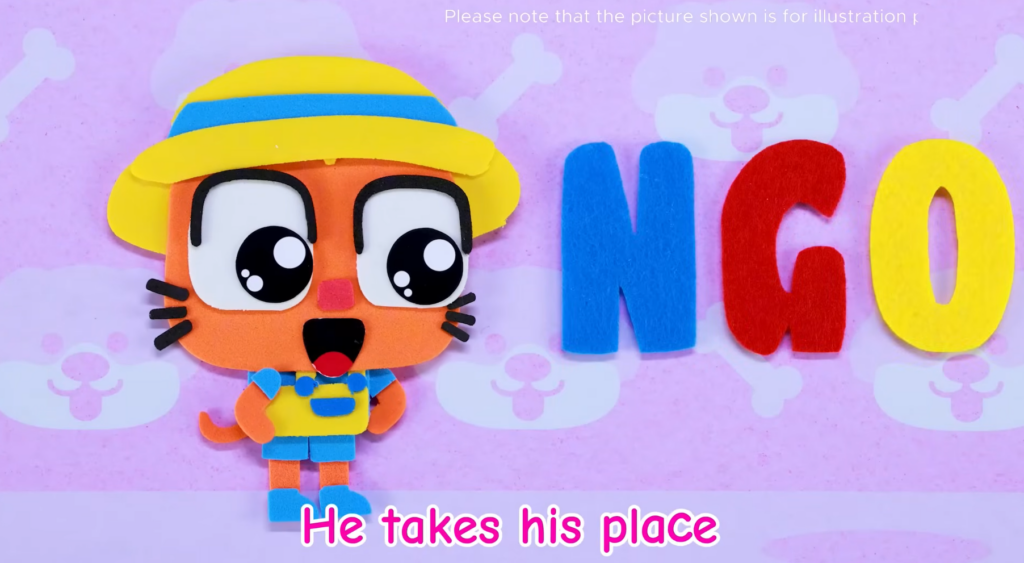
The AI slop is sloppy because it is produced with quantity in mind and not quality. The more you watch this content, the worse it gets. The captions say something else, the “speaker” sings something entirely different. There is a label on the top that again has nothing to do with the content on the screen. The content is a stop-motion animation.
And this is not the only example, this was actually the final straw where I decided that I needed to write this piece. You can look at this video and it shares the same story.
#3 AI doesn’t know how to cry
I have seen my daughter learn a lot from the content on YouTube. When I look at her building structures out of magnetic tiles, or when she demonstrates creating blobs out of clay dough, it makes me happy. I am happy that YouTube is a platform that can provide her a demonstration of “possible”. My daughter learned alphabets from YouTube, she sings along Ms. Rachel, she “claps her hands” with Super Simple Songs. At the end of a video, she has “done something”. Or at least she is building the neural network to be able to do something. The other day she was snapping her fingers at me.
AI-generated content will not be able to demonsrate this. You look at a child crying, or demanding something, and you can see there is a clear different between a child crying and a tantrum. AI content does not distinguish between these two.
Alright, so what to do?
When it comes to AI slop, I guess the only answer is to avoid it at all costs. It is not helpful for your baby, and honestly, it is not help for you either. Your baby will not only be watching content that is not real, the baby will have a hard time differentiating what’s real and what’s possible (think of objects flying through other objects, just because AI thinks that’s possible).
Today, AI-generated content is not limited to videos with generated persons but also for cartoons. These cartoons often do stuff that is not practical, but also not ethical. Since the person (or studio) generating this AI content has only one focus: generate more content. They have no time for quality control or review. Often time they ask AI to further review the content or make it compliant, which the AI does so by adding a label. Even the label does not conform to the content that is actually in the video. A simple label via the simplest video editor would take less time, but the person generating the content has no interest in doing so. Because they are so lazy.
#1 Track what your child watches
I have not given my daughter a separate account, she has a shared account that I can check the history of. I review the content, and I often set the content myself that she would want to watch. Here is how it goes:
Me: “alright, let’s put some video on the TV, which one would you like to watch?”
She: “that one” — as she points to a video with highest saturation in colors.
Me: “nope, that is bad, how about you watch either this video, or that video, or perhaps the last video you really loved?”
She: *thinks a little and makes a choice* “this one, this one”
Me: *plays the video and watches “with her”*
Note that the keyword is “with her”. I don’t put the video on and then grab my phone. I watch the content so that she finds it equally interesting.
Notice how one of the reasons why CoComelon’s videos are less advised for younger children because of the color saturation; YouTube video. In my opinion, it’s better to let your child bump to “baby shark do do do” than this AI-slop.
#2 Downvote the content
YouTube is also locking on to the AI-generated slop content so that they can reduce the number of times it appears. I have not seen useful AI-generated content, yet. The most recent interesting AI-generated (or at least CGI) video was this rollercoaster video that I watched with my daughter. It makes sense to have this CGI or AI-generated content for such scenarios and I am okay with that. The difference is that the CGI generated content is at least reviewed before getting published.
I always downvote a video that reflects the top 3 problems that I’ve listed above. Even though I still receive a recommendation to watch the video again (or another similar AI-generated video). Over the last few weeks, I’ve seen and shown no interest in several videos that often have similar content repeated.
The content, I’ve experienced, continues to reappear but you can continue to avoid and skip the content. YouTube algorithm is very complex, but the amount of slop that is being created can easily fool it. The problem is not that AI slop is being created, the problem is everyone thought it was an easy way to get quick views, subscriptions, and start earning on the platform. This greedy push for monetization flooded the platform with such content. In December, YouTube actually started to fight back on this AI content and a lot of creators saw their content getting less and less views, to a point where some videos are just getting zero views (check Reddit, I don’t mean to point fingers at anyone here).
#3 Have the “tough conversation.”
Our children do not stop watching or consuming content just because we told them. They really need to understand what is okay and what is not okay.
What really worked for me was first telling what AI was (of course, not the whole machine learning course) and then tell why this was not useful. I demonstrated some examples where a baby is sliding on mud and there is no scratch on the baby’s knees. After this explanation, I would give my child a choice that would make them feel in control and in charge. I would decide on the options and they will make a choice.
And like everything else, this is a repetitive approach and you would need to repeat this behavior again and again. The AI videos would continue to show for a while, but your child does not have to watch them.
Did you need to have a tough conversation with your child regarding AI? Honestly, this conversation has been the toughest one so far with my 3-year old. I had to explain what AI is, to explain why she should not watch AI-generated content.
This was it for today, I’ll catch you in the next blog. And if you read until this, I have something to share. I am starting a newsletter on this website and would be sharing similar content in a recurring cadence. If you found this content useful, would you consider subscribing?
Or, let me know what I missed. I’d appreciate that.
-
I Lost My Data Saved in OneDrive. Multiple Times?
I have been using OneDrive for years, and it has worked always. However, few times I experienced that the data was no where to be found. And, I would always blame it on myself that perhaps I did not save it, maybe I saved it in a different folder, and sometimes I just thought perhaps there was no data.
One example of this is that I created a folder to put all the pictures of my marriage (from 2020) and now when I open the folder I cannot find the content that I had put there.
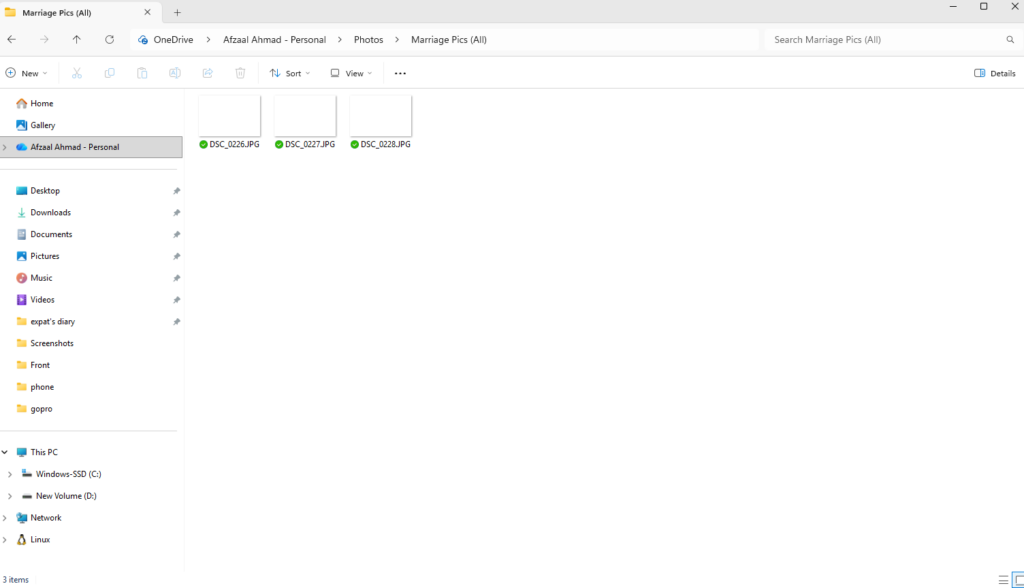
Figure 1: The images are not found. I cannot claim what happened because this event was around 4 years ago. However, I do remember what happened 4 hours ago. I can see that the folder was created back then, but there is literally nothing in the folder. I have accepted the fate and I can review the photos on Google Photos instead. Here is the only three pictures left in the folder, and as noted by the date these were uploaded back in 2021–given such a date, why would I risk my own marriage photos being lost?
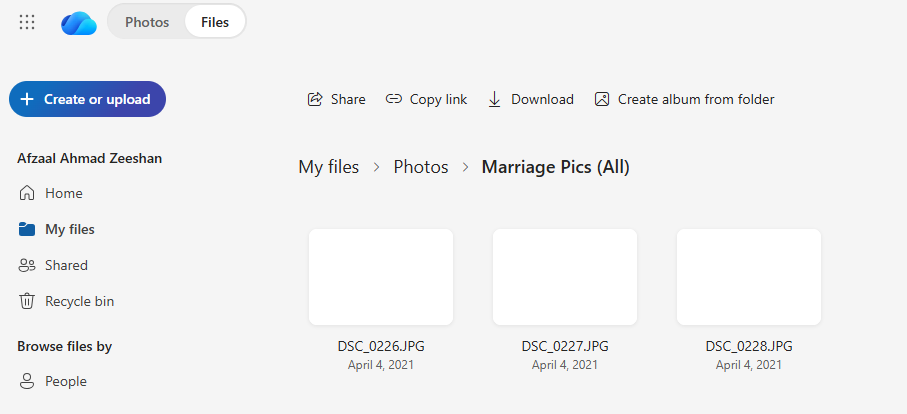
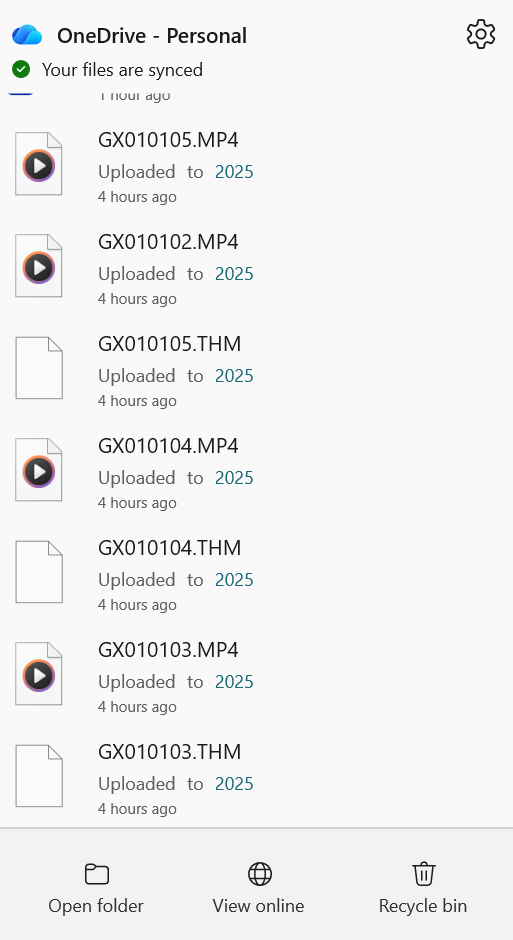
Figure 2: The folder has some files from 2021 and that’s it. It wasn’t until last week when I had just uploaded a copy of very important data; video footage from my GoPRO, and I could swear that I uploaded it only to see that the data is not there anymore. Here are the two screenshots that show the activity:
Figure 3: The OneDrive widget shows that the file was uploaded 4 hours ago to the folder. The content was uploaded to the folder (I named it 2025) and then after a few hours I could not find the content. Here is a log in the system that says that the file was deleted.
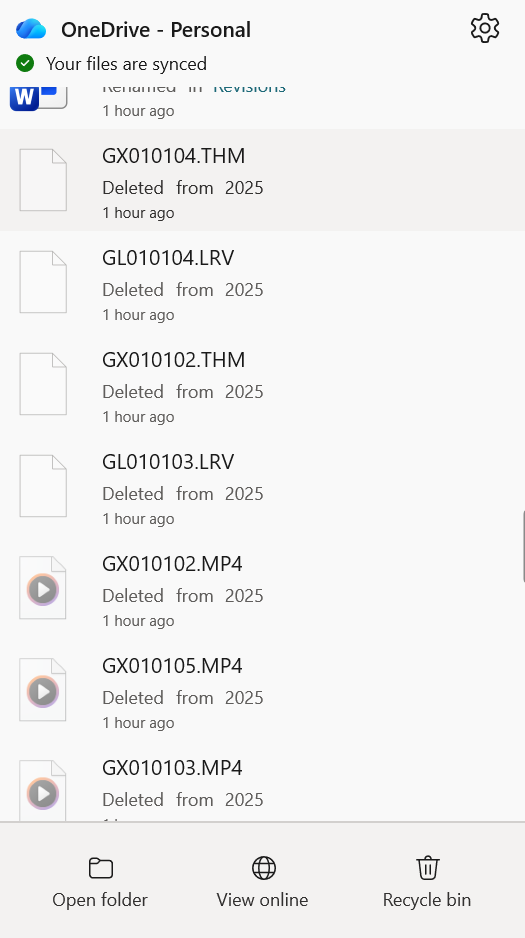
Figure 4: The files were deleted from the OneDrive folder locally and thus from the online platform too. I cannot find the files in the recycle bin, or anywhere and there is no way to read the logs on what happened.
Problem
I can understand one of the following reasons to have happened:
- I deleted the files, by mistake, or through a keystroke (such as CTRL + Z).
- I deleted the files by resynching the folders using a different machine (my mobile, a different laptop)
- The network glitched and the files were deleted.
What I cannot understand is why is there no logs of the activity in the system.
The online folder details tab shows logs, but it does not show:
- When was the content deleted?
- Who deleted it?
- Is there a way to recover the files?
It should be possible to see what is happening, who is making changes, and be able to revert those changes for up to 30 days–which in this case was not met.
OneDrive Subscription
I am not using a freemium version of OneDrive, and this is what’s causing me to panic because. If this set of files can be deleted, I wonder what else could be deleted? The premium version of the OneDrive (or Microsoft 365) is not a cheap subscription and one of the perks is the paid cloud storage. I do use it for personal projects, most YouTube videos that I make have their content saved in OneDrive. I would like to control and audit the activity in my account.
I share this account with my family and that means they also use the services for their activities. If they lose the data, that is not good either.
References:
- This Reddit thread talks about a similar challenge that the author was facing.